 Yesterday I reinstalled Windows on a laptop for one of our users at work. When the installation was complete, I popped in the driver CD to begin the process of installing the drivers that Windows didn’t install. For some reason the CD only contained two of the eight drivers that I needed. Normally, tracking down the right driver can be a huge annoyance, especially when your devices are showing up with generic names like PCI Device, Video Controller, System Device, or Unknown Device. But with the help of a little utility, I was able to find all of the drivers that I needed saving me lots of time and frustration.
This little utility is called Unknown Devices and it works with Windows 95, 98, 98se, 2000, XP, 2003 and Vista. It’s also a portable application so it requires no installation.
When you run it, Unknown Devices immediately lists out all of the devices that Windows cannot find a driver for and tells you what each one is.
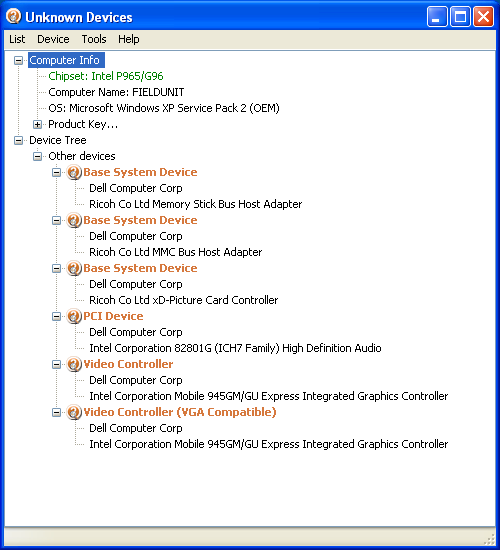
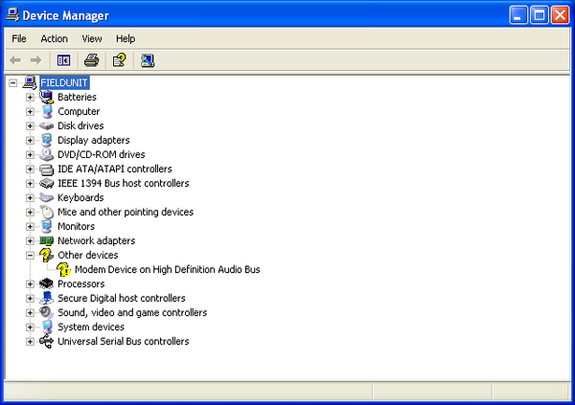
In this example I have a modem that I cannot locate the driver for because I don’t know who the manufacturer is.
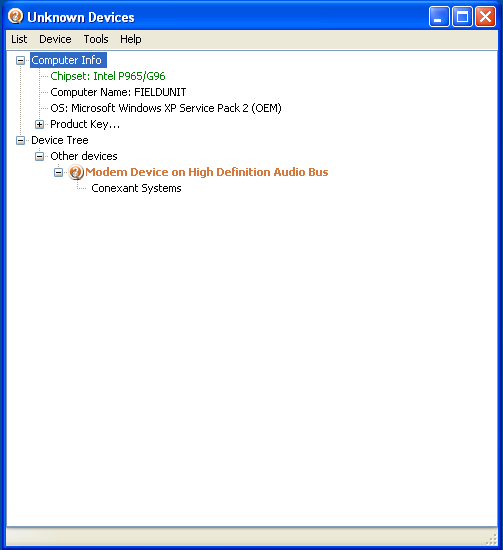
When I run Unknown Devices, it tells me that the device is made by Context Systems.
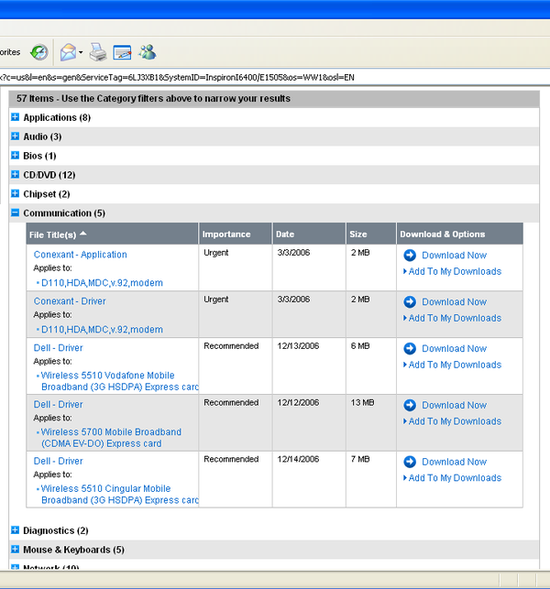
I am now able to use this information to download the appropriate driver from the computer manufacturer’s website.
If you have experience with other utilities like this or other methods of determining unknown devices, please feel free to share.

7 Comments
Anonymous
February 20, 2008A couple of other options that people may find helpful are Driver Magician and Unknown Device Identifier. You can also lookup PCI devices by VendorID or DeviceID at http://www.pcidatabase.com.
Jamie
Anonymous
March 3, 2008I’ve really been enjoying Driverpacks lately. Basically, download all the .7z files, extract them to a directory, and burn to a DVD. Now, whenever you have an unknown device, throw the DVD in, update the driver, and say ‘search removable media’. It’ll grind away for a minute or two, then install it!
I’ve only ever had problems during recent Vista downgrades, or on the newest laptops.
Also, I split the Graphics drivers (790 MB) to a DVD, and everything else to a CD – not as many drivers to go through when you’re not doing graphics.
dallix
December 27, 2008I use “driver max” it finds the right driver all the time, every time
devildog
December 30, 2008Thanks for the info on Driver max .Now maybe this resolve this issue when reformating cpu .
HyperOptic
April 17, 2010In my humble opinion, I think Everest is great.
Not only gives it a list of every device, which manufacturer and the site to get the driver downloaded, but it also measures all of the temperatures of any piece of hardware in the PC.
azhar
April 26, 2010hi,
I know a utility that can install not all the drivers but few very common drivers like, sound, VGA, ethernet and etc. Utility name is 3DPChip, 3DPNet
hyaris
March 25, 2012can anyone tell me any website wher i get all sound drivers and easy installation?????
Leave A Response