The best Mac disk repair, diagnostic tools & more!
I have put together a list of what are, in my opinion, the ten best Mac disk repair software and other excellent Mac tools for troubleshooting, diagnosing, and repairing a Mac. Many of them are free or offer a free trial. As Macs continue to gain market share, there is an increased likelihood that you will have to support them if you are a tech. And even if you aren’t a tech, it’s good to know which tools are the best to use when it comes time to repair your own.

Mac OS from Apple WWDC2019
In-page jumps:
Disk Warrior Trial
Free Disk Repair Mac utility
Free Mac Disk Repair Software
Drive Genius – is it the Best Mac Repair App
Introduction to our Top 10 Mac Repair Software
Did you know there are several Mac disk repair options that each function differently and one may suit your needs better than another? I detail several for you below so you can decide.
More than just a list of disk repair software, I provide many Mac software solutions for you and your clients! Even better, some are free!
Want to clone a Mac drive? Want to monitor a Mac’s hardware sensors? Want heroic system recovery for mere mortals?! Oh, there are some great software here! Read on.
TechTool Protogo
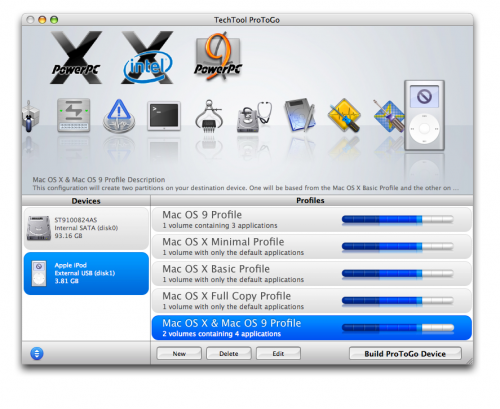 TechTool Protogo is a Mac repair program suite which contains three of Micromat’s best Mac repair tools; TechTool Pro 8, TechTool Pro Classic, and DiskStudio.
Protogo creates a bootable Mac repair toolbox with these tools as well as any of your own tools on a portable hard drive or flash drive.
You can then boot from this drive, bypassing the OS, and run diagnostics on a computer to determine problems.
Protogo also allows you to repair and recover data from problematic hard drives as well as defragment, optimize, and securely delete data.
Cost: $129.99
Memtest OS X
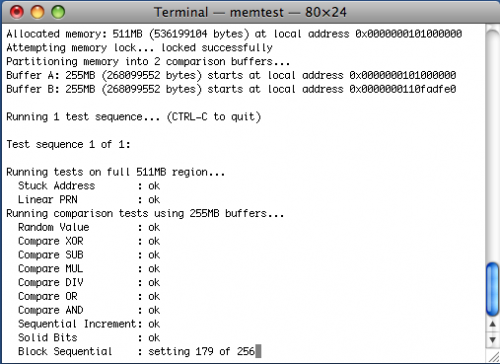 Memtest OS X is a memory testing program for Mac OS X. It is a command line utility so it can be ran in OS X or in Single-User Mode if your Mac will not boot.
It is great for testing intermittent system problems when you are having trouble determining if it is a memory problem.
If you prefer memtest with a GUI front-end, then be sure to check out Rember.
Rember will run in OS X but will not work in Single-User Mode so Memtest OS X is the better option.
Cost: $1.39
Mac Disk Repair – DiskWarrior 5
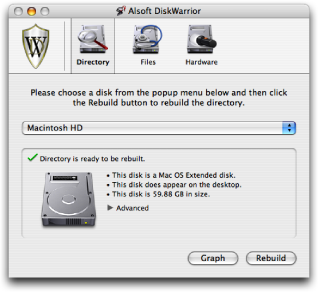
Disk Repair for Macs – DiskWarrior utilizes a unique disk repair method for Macs
DiskWarrior is arguably one of the best hard drive repair programs for the Mac.
It works differently than other data repair programs.
Instead of trying to rebuild the damaged data itself, DiskWarrior builds replacement data based off of the original data.
It then verifies the new data structure based on the original to make sure it is error free.
You can also use DiskWarrior as a preventative maintenance utility for hard disks.
When run, it rebuilds your directory eliminating any damage that you may not be aware of. It also optimizes the directory for better performance.
Cost: $99.95 but look for a trial.
If it is more serious and your Mac’s hard drive has crashed, I have provided an extensive data recovery guide with a list of Hard Drive Recovery Tools in my article How to Recover Data from a Crashed Hard Drive.
First Free Disk Repair-Mac – OnyX
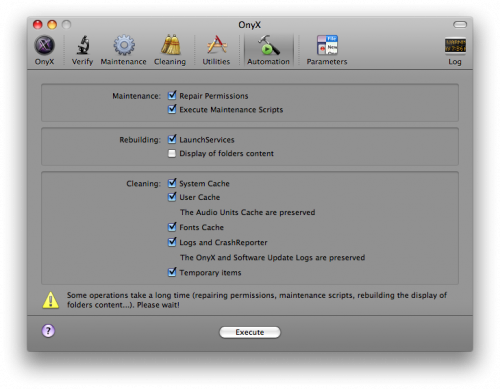 Onyx is a maintenance, optimization, and personalization utility for Mac OS X.
It allows you to run hard drive diagnostics, run system maintenance tasks, delete caches, and configure tons of OS X hidden features.
Even if you aren’t using it as a repair utility, it is a great application to help keep your Mac running in top shape.
Cost: Free!
Mac Data Rescue
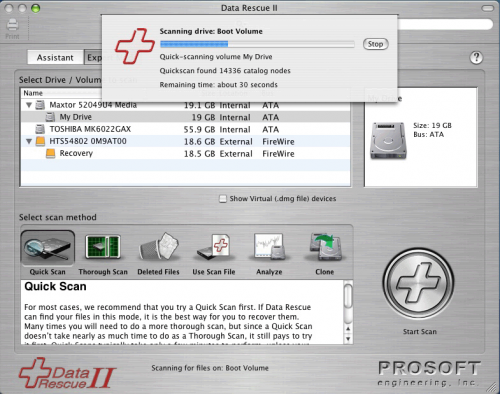 Data Rescue is a data recovery program that focuses purely on recovering data from corrupt drives instead of hard drive repair.
It scans the corrupt drive analyzing all of its contents and allows you to choose which data you would like to recover.
It even scans for deleted files. Data Rescue II restores the data to a separate drive leaving the original data intact.
It comes with an emergency boot CD that you can use to recover data when the computer will not boot and it also works on drives that won’t mount.
Cost: $99.00
AppCleaner
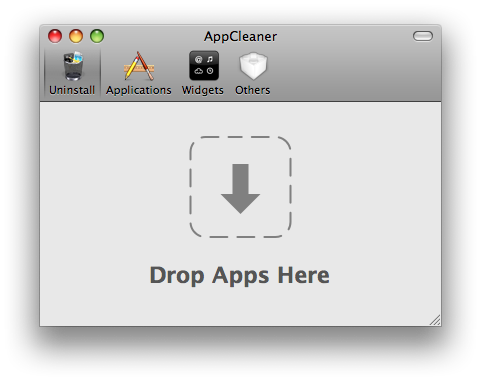 AppCleaner may not be classified as a repair tool but it can be used as one.
When you are having trouble with an application in OS X, you can simply remove it by dragging it to the Trash.
However, this still leaves behind the applications preferences, caches, and other files that could still cause the same problem after you reinstall it.
AppCleaner will remove all of these files making sure that the app is completely gone before you attempt a reinstall.
Interesting interface!
Cost: Free!
Drive Genius – Is this the Best Mac Repair App?!
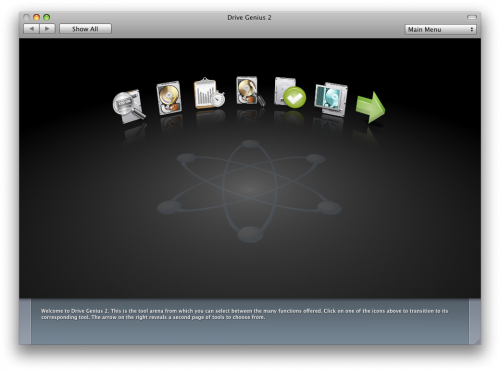 Drive Genius is a disk utility application for Macs.
Its main features include:
- defragmenting,
- running benchtests,
- directory repair,
- integrity checks,
- surface scans,
- repartitioning,
- cloning,
- shredding data, and more.
With all these features, you can see why I ask is it the best Mac repair app overall!
This is actually the same program used to defrag Macs at the Genius Bar in Apple Stores.
Oh yes, Apple uses it.
Drive Genius also comes on a bootable DVD so you can run it even when a Mac will not boot.
Cost: $99.00
Mac Backup – Carbon Copy Cloner
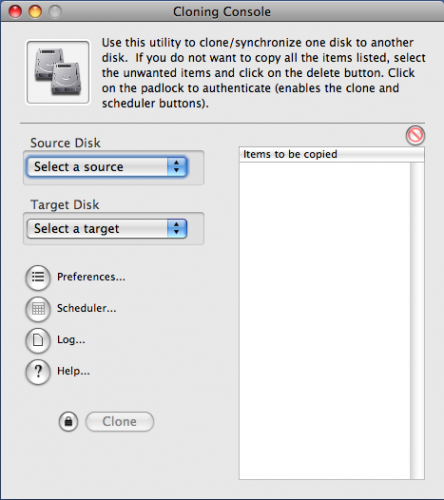 Carbon Copy Cloner is a simple yet very effective backup utility for the Mac. Like most other backup utilities, it can be scheduled to backup your Mac on a regular basis.
The best part, however, is its ability to completely clone a hard drive with it still being bootable.
This tool comes in very handy when you are replacing hard drives, setting up multiple Macs, or recovering from a system crash.
Carbon Copy Cloner is donation-ware so you can download it for free without any restrictions.
Maybe you will be so pleased you will buy them a coffee anyway!
You can also check out SuperDuper which has more features but costs $27.95.
However, if you just need a simple backup and cloning utility, Carbon Copy Cloner does a great job.
Cost: Free! (donation-ware)
Apple Mac Disk Repair – AppleJack
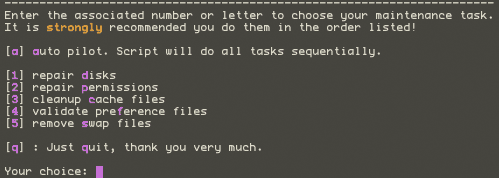 AppleJack is a troubleshooting utility for Mac OS X. It runs under Single-User Mode so it can be used even when OS X will not boot.
AppleJack will repair disks, repair permissions, cleanup cache files, validate preference files, and remove swap files.
You can select these tasks individually or have AppleJack run all of them and even reboot when finished.
Unfortunately, at the time of writing this article, AppleJack is not yet compatible with Leopard but a new version is in the works. Be sure to check their page frequently for an update because this is an invaluable tool.
When I updated this article for 2020, I checked on SourceForge and there were over 600 downloads last week!
Cost: Free! (open-source)
Hardware Monitor
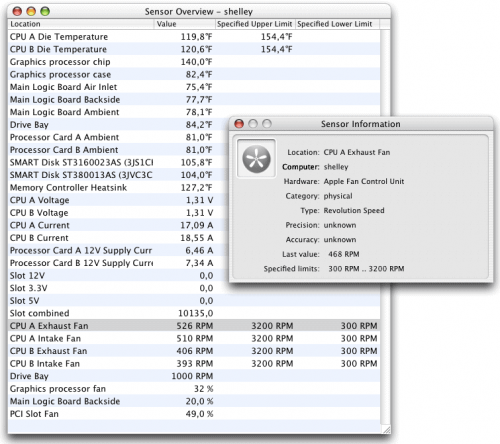 Hardware Monitor is a utility that allows you to view data from the hardware sensors in a Mac.
It currently has support for temperature readings, battery data, voltage, current, fan speed, power and load, ambient light, as well as user-defined artificial sensors.
It’s a great utility to use when simply trying to find out if your hardware is malfunctioning.
Cost: € 7.00 (can also be purchased with U.S. Dollars)
Also consider
OSX disk repair
This is kind of a nice segway into handy hardware tools and toolkits. Click on the following link if you want to see some great ideas on what I recommend for your Mac or PC Repair Toolkit.
As you may know, I believe your should support Macs in your Computer IT Consultant Business. I state my case here in my article on Why You Should Support Macs With Your IT Business.
Well if you were counting, that is 4 totally free Mac OSX disk repair utilities, and one so cheap it may as well be free!
The best Mac repair disk software may well be a paid one depending on your exact needs, and I’ve shown you my pick for the best of those too.
If you know of other great Mac software let me know in the comments below. What Mac OS X repair tools do you like? Is there another Mac Disk Repair utility you’d suggest? Please leave a comment to help others, or if the above tools have helped you.
And as for hardware, click this link if you want to repair hard drive-Mac for more details.
Summary of Best Mac Repair Software:
Excellent Mac disk repair software is provided above, for you to consider and try their features for yourself. I didn’t stop there. This list contains some other handy Mac software I consider to be the best tools for techs and Mac owners.

20 Comments
Anonymous
May 8, 2008Nice list. Even some free ones.
Thanks again,
Mike@http://www.itdoescompute.com
G
March 20, 2009Hammer doesn’t even get an honorable mention?
Slrman
September 26, 2009smcFanControl is a sure winner. Anytime you can make a computer run a little cooler, you are extending its life.
Casey
September 26, 2009Yep, smcFanControl is a great utility and I have been using it for quite some time now.
hard disk
April 12, 2010If hard drive crashed, that’s a huge losses, so we need some technical knowledge about hard disk recovery, backup, format, partition and hard drive upgrade to solve our hard drive failure problems
Melanie
April 28, 2010After the format hard drive procedure my MAC book is working properly again. Thanks
PraP
August 8, 2010As being a new user of Mac OSX i found this article very handy so thanks.
sigma
November 1, 2010Find out Best MAC repair tools, here
http://www.brighthub.com/computing/mac-platform/articles/45963.aspx
Maria Peter
November 28, 2010I have Found one more interesting utility Drive tool Box (http://www.drivetoolbox.com/) from Stellar data recovery the tool is a set of more than 12 Utilities helps to manage and maintain mac hard disk.
B. Williams
April 14, 2014This guys putting together a list of drive and system test tools available for the Mac. It might be worth a look for those interested. It’s not a review but a list of the tools available.
http://forums.macrumors.com/showthread.php?t=1544280
Vishal
June 8, 2014Can you kindly add Stellar Volume Repair software to the list of Mac repair tools? This tool is a dedicated software to repair corrupt Mac disk including the startup partition. It repair & rebuilds damaged disk directory structure and resolves Invalid B Tree Node, leaf errors. Here goes the free trial – http://www.stellarinfo.com/mac-software/volume-repair.php
Mind The Mac
March 19, 2015Thank you for the Helpful List!
Carbon Copy Cloner is amazing! We use the licensed version and it does the job effectively!
For all your Apple Repair needs visit http://www.MindTheMac.co.uk We are Apple Repair Specialists!
R. Workman
April 5, 2015Scannerz (http://scsc-online.com/Scannerz.html) isn’t’ on that list. I looked at the comments and their dates and they start in 2008. I don’t think Scannerz came around until 2010 or 2012. It, and I suppose some of the others products other people are listing may all well be worth looking at because this list is really quite old now.
Gene B
May 5, 2015Thanks for the pointer and the link.
I’ve noticed that a lot of the older tools have features that, IMHO, really address problems that don’t occur that often.
Example: a lot of them have indexing repair functionality. How often does this happen anymore? The last time I saw this problem occur was on a system I had with Panther on it. The file system has matured and they’ve fixed bugs along the way.
Either that or I’ve been very lucky.
Anonymous
May 8, 2015mail and isight fixes of this terrys tools app sorted me out after upgrading to yosemite, mac mail runs much smoother now and the mail search doesn’t lag and the isight fix frees up the camera when switching from hangouts to skype without having to restart, A+
http://terryharmer.com/terrystools.html
Sofia
May 19, 2015Mac Data Recovery Tool helps to recover all the deleted files, images, videos or music at the same position where it was saved earlier.
John
October 28, 2015Thanks for this list! I’d like to add one more awesome tool – Disk Drill (http://disk-drill.en.softonic.com). It’s professional data recovery solution with backup features.
Mattew
September 18, 2016DiskWarrior 4 tools very help me..
Thanks..
test
March 5, 2024It even scans for deleted files. Data Rescue II restores the data to a separate drive leaving the original data intact testing
Leave A Response